

Installatiegids Office 2024 Professional Plus
Installatiebestanden
SYSTEEMVEREISTEN
- 1 gigahertz (GHz) of snellere 32-bits (x86) of 64-bits (x64) processor
- 1 gigabyte (GB) RAM (32 bit) of 4 GB RAM (64 bit)
- 4 GB beschikbare ruimte op de harde schijf
- DirectX 9 grafisch apparaat met WDDM 1.0 of hoger stuurprogramma
LICENTIE EN ACTIVERING
Vergeet niet dat de sleutel die je hebt gekocht een prepaidcode is die niet compatibel is met de vooraf geïnstalleerde software. Dit is een origineel Microsoft-product. Verwijder de vorige versie van Office die je op je pc hebt staan en start je computer opnieuw op. Dit is belangrijk om compatibiliteitsproblemen te voorkomen.
INSTALLATIE
Zodra de download is voltooid, volgt u deze stappen:
- Deactiveer je antivirus om het gedownloade installatieprogramma uit te voeren (BELANGRIJKE SPECIALE STAP ALS SOMMIGE ANTIVIRUSEN, zoals DE NORTON, HET ALS SUSPECT DETECTEREN).
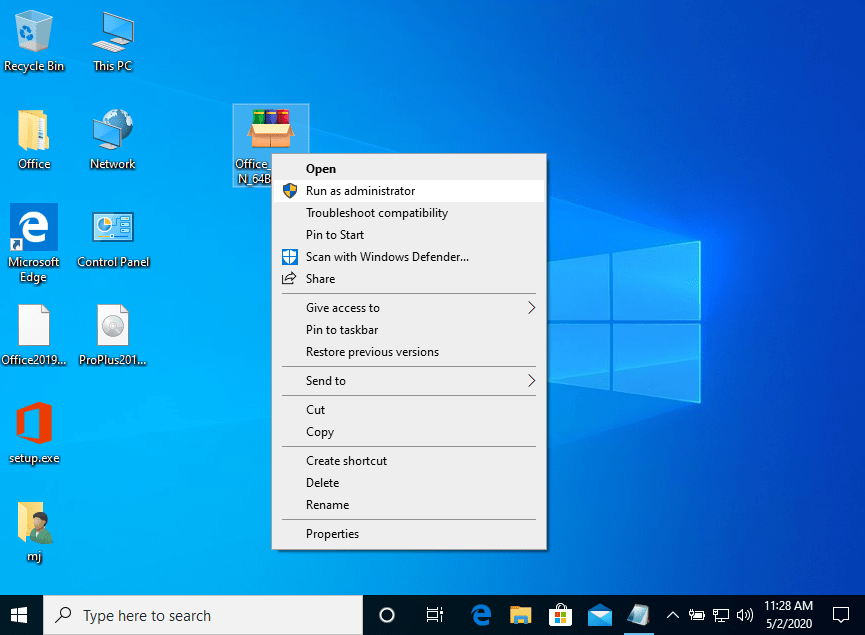
- Klik met de rechtermuisknop op het bestand en selecteer de optie "Als administrator uitvoeren".
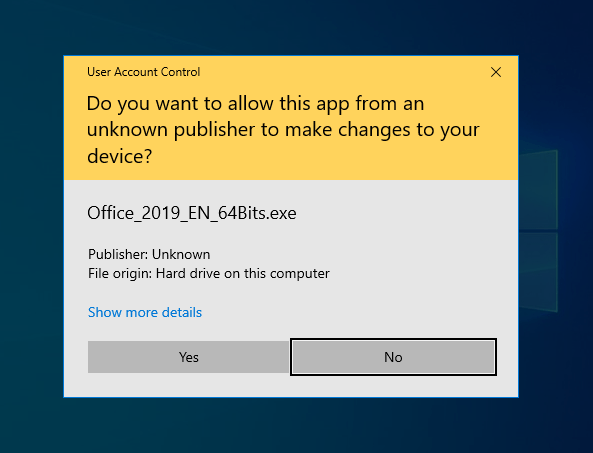
- Je krijgt deze waarschuwing (maak je geen zorgen, dit is een normaal proces). Klik vervolgens op de knop YES.
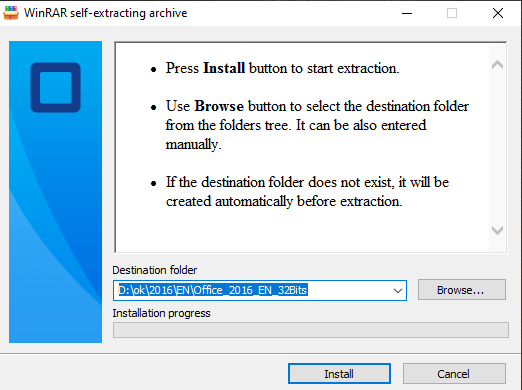
- Klik ten slotte op de knop "Installeren". Hiermee wordt de toepassing uitgepakt en wordt uw product geïnstalleerd.
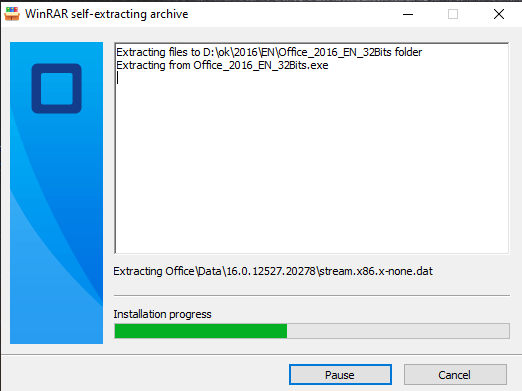
Zodra de download is voltooid en de installatie van het programma is voltooid, moet je de activeringssleutel invoeren wanneer je een toepassing uit het Microsoft Office-pakket uitvoert.
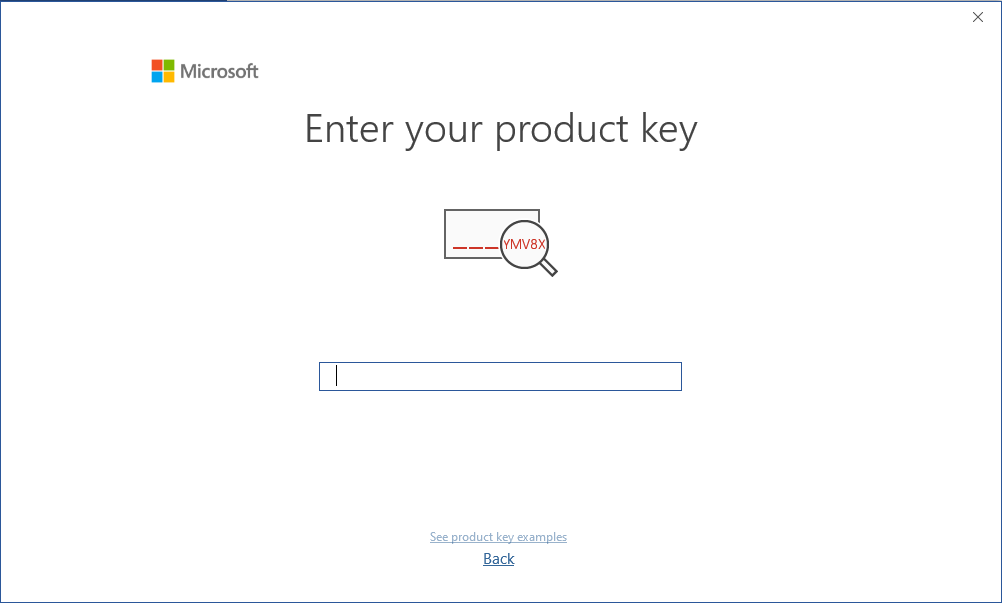
Tijdens de installatie van Microsoft Office zou je gevraagd moeten zijn om de productsleutel in te voeren die we je hebben toegestuurd. Mocht dit niet gebeurd zijn, start dan Word op, klik op FIle, dan op Account en voer hier de meegeleverde sleutel in. Als je dat niet doet zal je aangeschafte Office na 30 dagen veranderen in een proefversie.
OPMERKING
Microsoft heeft de ondersteuning voor sommige oudere producten geleidelijk stopgezet. Daarom is telefonische activering niet langer mogelijk. Als je problemen of vragen hebt tijdens de installatie, neem dan contact op met onze 24/7 klantenservice.
Andere handleidingen
- Installatiegids Windows Server 2022 Standard
- Installatiegids Office 2010 Professional Plus 32 & 64 Bits
- Installatiegids Office 2013 Professional Plus 32 & 64 Bits
- Installatiegids Office 2016 Professional Plus 32 & 64 Bits
- Installatiegids Office 2016 Standard 32 & 64 bits
- Installatiegids Office 2019 Professional Plus 32 & 64 Bits
- Installatiegids Office 2019 Standard 32 & 64 Bits
- Installatiegids Office 2021 Standaard -32 & 64 Bits
- Installatiegids Office 2024 Standard
- Installatiegids Office 2021 Professional Plus
- Installatiegids Project 2016 Professional 32 & 64 Bits
- Installatiegids Project 2019 Professional 32 & 64 Bits
- Installatiegids Project 2021 Professional 32 & 64 bits
- Installatiegids Visio 2016 Professional 32 & 64 Bits
- Installatiegids Visio 2019 Professional 32 & 64 Bits
- Installatiegids Windows 10 Professional
- Installatiehandleiding Windows 11 Professional
- Installatiegids Windows 7 Professional 32 & 64 Bits